Get more out of Roblox on Linux

Soberix is an alternative launcher for Roblox that provides additional useful features and functions — built on Sober.

⬇  Download for Linux ★ Star on GitHub

Free & open source (MIT) · single-file AppImage · requires flatpak install flathub org.vinegarhq.Sober

One-click play, your way

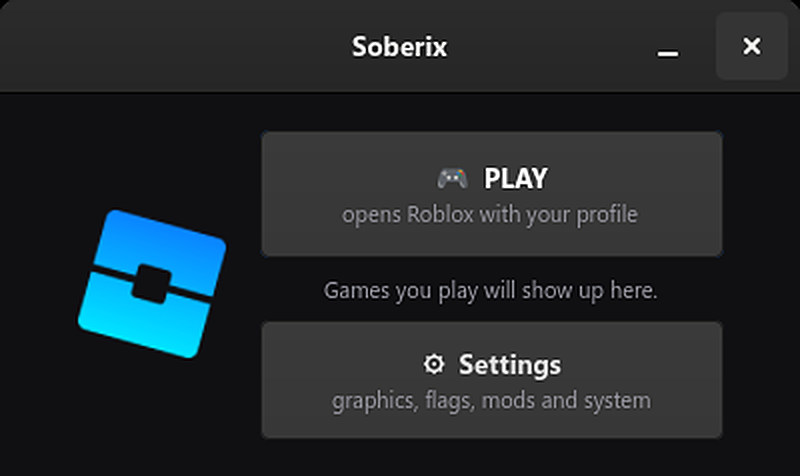
Hit the big PLAY button and Soberix applies your quality profile — Light, Medium or Full — before Roblox even opens. Nothing is locked away: Sober keeps working standalone, and flags you set manually are always preserved.

Soberix home menu

Bridging Roblox and Discord

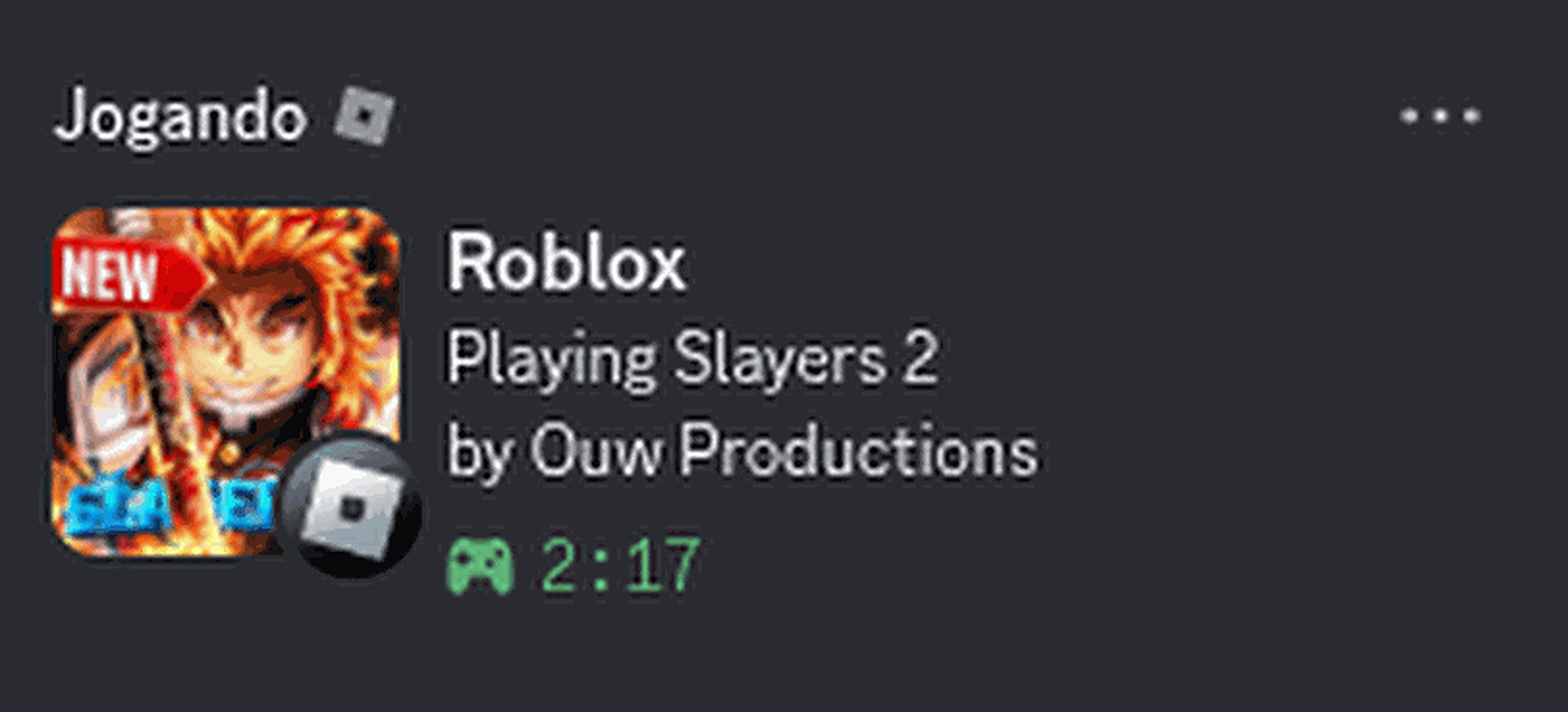
Share what you're doing among friends with ease. Flip one switch and your Discord profile shows the Roblox game you're playing — artwork and all — powered by Sober's native Rich Presence.

Discord Rich Presence showing the current Roblox game

Know where you're playing — and go back

Soberix watches Sober's own logs and shows what you're playing — by its real name — right on the home menu. Left a server by accident? One click on Rejoin puts you back on the exact server, even after closing the game. A visited-servers history keeps the last 30 at hand, with quick Play and Rejoin actions right on the taskbar icon.

Soberix home showing the current game and the Rejoin server action

Everything in one place

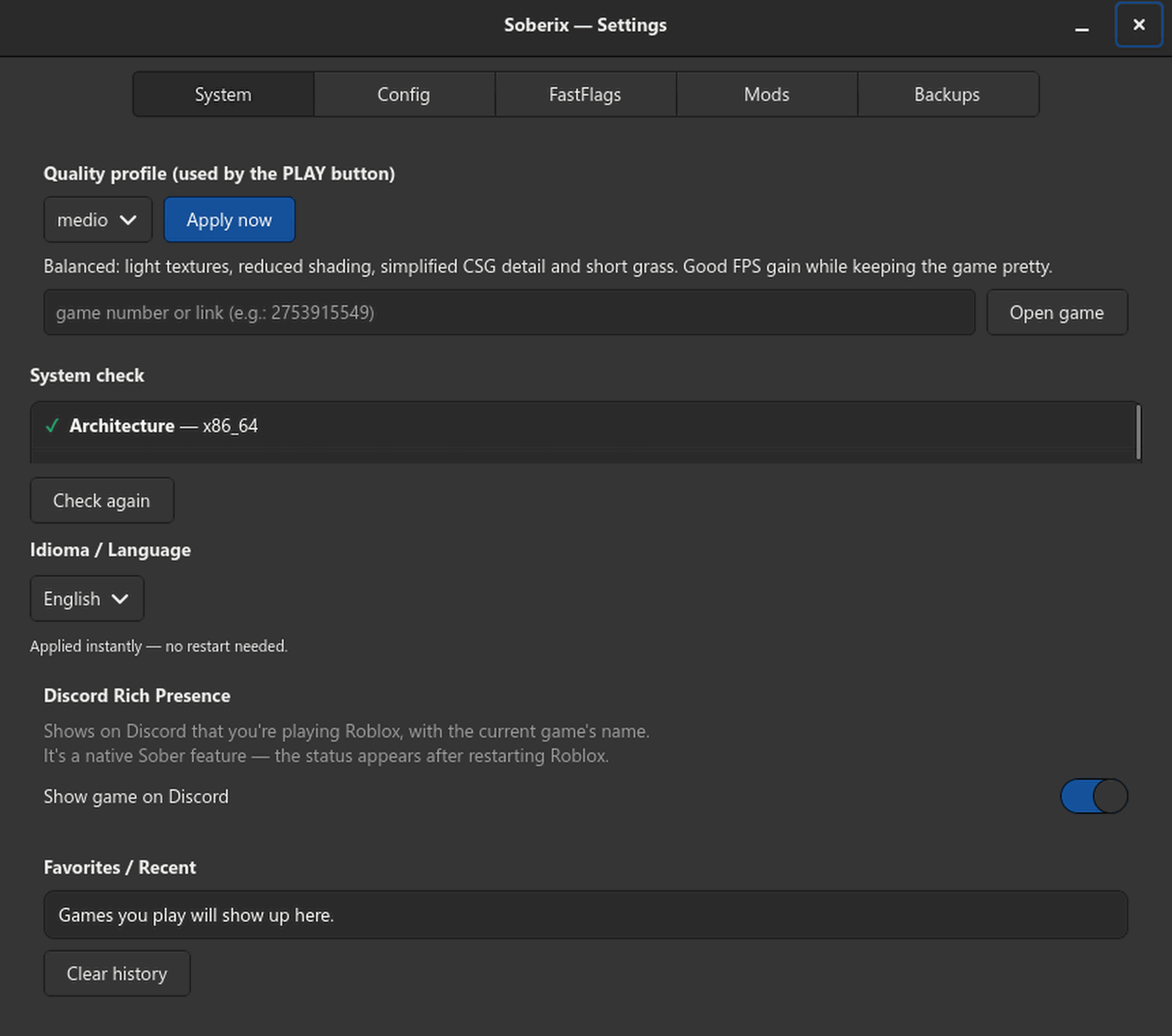
Quality profiles, an allowlist-safe FastFlags editor, mod management, config backups, a system doctor and seven languages — no JSON editing, no terminal required. Power users get a full CLI too.

Soberix settings window

All features

Everything Soberix manages for you.

🕹️ Activity tracking — what you're playing, by name
↻ Server rejoin — back to the exact server, 1 click
🗂️ Servers history — last 30 visited, with quick join
🖱️ Taskbar actions — Play / Rejoin from the icon menu
📊 Quality profiles — Light / Medium / Full presets
⚡ FastFlags editor — allowlist-safe, in plain words
💬 Discord Rich Presence — current game on your profile
🧩 Mod manager + popular mods — zips or 1-click classics
⭐ Recent & favorites — one-click replay
🌎 7 languages — EN · PT · ES · FR · DE · RU · JA
💾 Backups — auto snapshots, one-click restore
🩺 Doctor — CPU, Flatpak, Sober & Vulkan
🔄 Update checker — notifies on new releases
⌨️ Full CLI — scriptable for power users

Install

Three steps, five minutes.

  1. Install Sober, the Roblox runtime for Linux:
    flatpak install flathub org.vinegarhq.Sober
  2. Download the AppImage from Releases and mark it executable:
    chmod +x Soberix-*.AppImage
  3. Run it — double-click works too — and hit PLAY.

Soberix requires a Linux desktop with GTK 4 (any modern distro) and the Sober Flatpak. AppImages are published automatically for every release.

Frequently asked questions

Is Soberix a Bloxstrap clone?

It fills the same role on Linux, but it's an independent project: pure Python/GTK managing Sober (the native Linux Roblox runtime) instead of the Windows client. No code is shared with Bloxstrap.

Can I get banned for using it?

Soberix only manages configuration files — it doesn't modify the game, cheat, or touch Roblox's servers. It's in the same category as Bloxstrap and Sober themselves, which have operated openly for years.

Why does the Discord status need the Discord app?

Rich Presence works through a local socket that only the Discord desktop app provides — the browser version can't receive it. The same is true for Bloxstrap on Windows.

Does it work on my distro?

Anywhere Sober runs: Ubuntu, Fedora, Arch, CachyOS, Mint, Pop!_OS… If it has Flatpak and GTK 4, you're good. ARM works too, though official Sober support for it is beta.